Case Study
The artwork was ready. The mockup still took work.
By LSA Digital · 2026-10-05
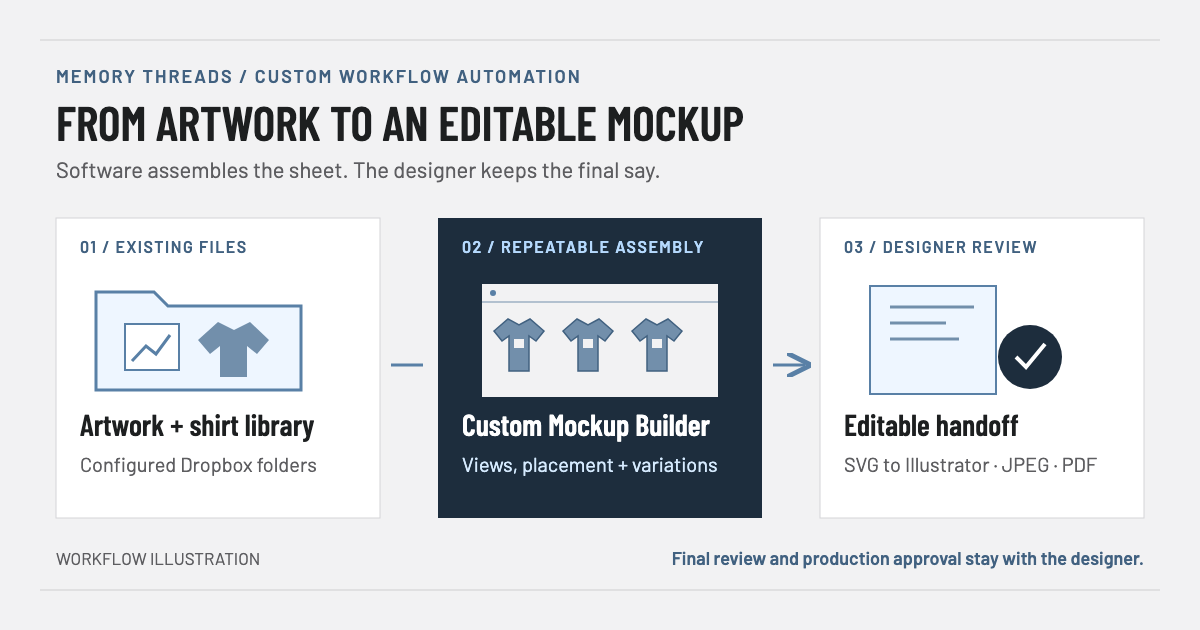
LSA Digital built a custom apparel Mockup Builder around Memory Threads' existing files and design workflow. Software handles the repeatable assembly. The designer keeps the final say.
At a glance
| Project | Details |
|---|---|
| Client | Memory Threads |
| Work | Custom workflow automation |
| Delivered | Mac application |
| Existing tools | Dropbox + Adobe Illustrator |
Every variation meant more setup
Memory Threads already had the artwork, the shirt images and the expertise to prepare customer mockups. The repetitive work was bringing those pieces together: finding the right customer design, putting it on the right garment and arranging the variations for review.
Different customers could use similar designs. Each shirt style and color introduced another combination. Someone still had to select the correct files and assemble the sheet before the customer could see the idea.
The opportunity was to automate that preparation without taking control away from the person responsible for the design.
Start with the operator's workflow
LSA worked with the owner and the primary operator to separate repeatable assembly from work that still needed judgment. The application needed to use their existing artwork, support variations and leave the result editable.
That shaped a practical decision: an editable SVG handoff to Illustrator, rather than automating every finishing step or generating a native Illustrator file. The client could continue using familiar tools for review and production-specific changes.
The workflow has three steps:
- Existing files: select customer artwork and shirt images from the configured Dropbox folders.
- Repeatable assembly: choose views, adjust artwork size and position, and assemble the mockup sheet.
- Designer review: export for review or open the SVG in Illustrator to keep working.
Build around the details people repeat
The delivered Mac application reads the configured Dropbox artwork and shirt libraries. Users select a customer and design, configure shirt styles and colors, then adjust artwork placement against a defined printable area.
Adding another shirt can reuse the previous shirt's settings. Style descriptions can be saved once and reused on the sheet. Design codes can be drawn from filenames. These are the small, repeated actions that a generic image generator would not address on its own.
The application exports SVG, JPEG and PDF. SVG keeps the shirt, artwork and text as separate objects for editing; it does not convert raster artwork into vector artwork. Versioned filenames preserve earlier exports in the configured customer destination.
Real files revealed the work a demo misses
Installation and testing with the client exposed practical issues: files stored online rather than downloaded locally, inconsistent image margins, naming conventions and output details. Those sessions guided implementation changes and setup guidance around the actual file library.
The follow-up session walked through PDF export and opening the SVG in Illustrator. It also refined reusable style information and design-code handling. The work went beyond generating a sample image to fitting the application into the client's process.
A mockup is not a production proof
The tool creates a visual representation for review. Exact production specifications, final artwork adjustments and approval remain with the designer and production partners. More advanced price calculation was discussed as a possible later phase, not part of the delivered outcome described here.
A delivered tool with a defined job
Memory Threads received a custom application for assembling apparel mockups from its own assets, with a handoff into its existing design tools. The designer remains responsible for the result; the software handles the repeatable setup around that expertise.
This case demonstrates workflow discovery, custom software development and client installation and testing. Time savings and longer-term business impact have not yet been measured.
The lesson is straightforward: useful automation can start with the work surrounding a skilled task. It does not have to replace the whole job.
What does your team keep rebuilding by hand?
Show us the files, the steps and the exceptions. We'll help identify what is worth automating and what should stay with a person.